
Download Teach Anything – Free AI‑Powered Question Answering Tool for Students, Professionals & Developers
Overview
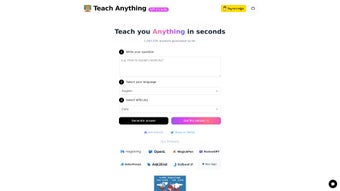
Teach Anything is a modern, AI‑driven question answering platform that harnesses the power of OpenAI’s GPT‑3.5‑Turbo model to provide rapid, accurate responses across a broad spectrum of subjects. Since its public launch, the service has generated more than 100,225 answers, demonstrating its ability to handle everything from simple factual queries to intricate multi‑step problem solving. The application is built on a lightweight Next.js stack and deployed via Vercel, which means the front‑end loads instantly and the backend scales effortlessly to meet demand.
Its open‑source nature, with the full source code hosted on GitHub, invites community contributions, independent audits, and custom extensions, fostering a transparent ecosystem that many proprietary AI tools lack. Teach Anything is designed for a wide range of users. Students can type a concept they don’t understand and receive a clear, concise explanation within seconds, making revision sessions more efficient.
Professionals can quickly retrieve technical definitions, market data, or coding snippets without opening multiple tabs or documents. Lifelong learners benefit from the multilingual interface, which supports over 30 languages, allowing non‑English speakers to ask questions in their native tongue and receive accurate answers. The platform’s minimal latency—average response times under three seconds—makes it especially valuable in time‑sensitive environments such as live classrooms, remote‑work brainstorming sessions, or rapid prototyping.
Backed by reputable partners like MagickPen and eCash, Teach Anything enjoys continuous funding that fuels regular updates, security patches, and feature enhancements. Security is a core focus: all data is transmitted over HTTPS, and the service does not retain personal information beyond the active session. In short, Teach Anything positions itself as a versatile, free, and secure web‑based AI assistant that empowers anyone to “teach themselves anything” without the hassle of navigating multiple sources or installing bulky software.
Key Features
The true strength of Teach Anything lies in the depth and breadth of its capabilities. Below is a detailed look at the most impactful functionalities that set this tool apart from other AI assistants on the market. Whether you are a casual learner or a developer looking to integrate AI answering into your own product, these features provide the flexibility and performance you need.
- AI‑Powered Answers: Utilizes GPT‑3.5‑Turbo to generate concise, context‑aware responses that adapt to the complexity of the query.
- Multilingual Support: Handles queries in dozens of languages, making it globally accessible and ideal for language learners.
- Instant Delivery: Answers are rendered in under 3 seconds on average, thanks to Vercel’s edge network and optimized caching.
- Open‑Source Transparency: Full source code available on GitHub for inspection, customization, and community contributions.
- Responsive Web Design: Optimized for desktops, tablets, and smartphones across major browsers, ensuring a seamless experience on any device.
- Secure Data Handling: No personal data is stored beyond the session; all communications are encrypted via HTTPS.
- Custom Prompt Templates: Users can tailor the AI’s tone or depth (e.g., “explain like I’m five” or “technical deep‑dive”).
- Integration Ready: Simple REST endpoints allow developers to embed the answering engine into other apps or learning platforms.
- Continuous Updates: Backed by MagickPen and eCash, the tool receives regular model upgrades and UI refinements.
- Free Access: No subscription required for the core answering service; premium features may be added in the future.
- History & Session Management: A built‑in history panel lets users revisit past queries, copy answers, or export sessions as PDFs.
- Prompt Shortcuts: Special tokens such as
/briefor/detaillet power users control answer length on the fly.
Installation, Compatibility & Usage Instructions
Because Teach Anything is a web‑based SaaS, there is no traditional “installation” process for end‑users. Access is as simple as navigating to the official URL, creating a temporary session (optional), and typing your question. However, developers or power users who wish to self‑host the application can follow the steps below. This section also covers system requirements, troubleshooting tips, and best‑practice usage recommendations to ensure a smooth experience for every user type.
Self‑Hosting Steps (for developers)
- Clone the repository from GitHub.
- Ensure
Node.js(v18 or higher) andnpmare installed on your machine. - Run
npm installto fetch all dependencies, includingnextand theopenaiSDK. - Create an
.env.localfile with your OpenAI API key:OPENAI_API_KEY=your_key_here. Optionally addNEXT_PUBLIC_BASE_URLif deploying behind a custom domain. - Start the development server with
npm run devand access the app athttp://localhost:3000. - For production, deploy to Vercel, Netlify, or any Node‑compatible hosting platform using the provided
vercel.jsonconfiguration. Remember to enable environment variables in the hosting dashboard. - If you plan to handle high traffic, consider enabling caching layers (e.g., Cloudflare Workers) and setting rate limits on the OpenAI API calls to avoid quota overruns.
Supported Operating Systems (itemprop="operatingSystem")
- Windows 10/11 – any modern browser (Chrome, Edge, Firefox)
- macOS 12+ – Safari, Chrome, Firefox
- Linux distributions – up‑to‑date browsers (Chrome, Firefox, Brave)
- iOS 14+ – Safari, Chrome
- Android 9+ – Chrome, Firefox
Usage Tips for End‑Users
Once on the site, simply type a question into the input field, press “Enter,” and watch the AI craft a response. For more precise control, prepend special tokens like /brief (short answer) or /detail (in‑depth explanation). The “History” panel on the right side stores each query, allowing you to revisit or export answers later. If a response seems ambiguous, you can ask a follow‑up question referencing the original query number (e.g., “#3 clarify the second point”).
Troubleshooting common issues: if answers take longer than 5 seconds, verify your internet connection and ensure no browser extensions are blocking scripts. In self‑hosted environments, check that your OpenAI API key has sufficient quota and that the OPENAI_API_BASE variable points to the correct endpoint. For accessibility, the platform supports keyboard navigation and screen‑reader friendly markup, complying with WCAG 2.1 AA standards.
Pros, Cons, Frequently Asked Questions & Final Verdict
Pros
- Fast, accurate answers powered by a state‑of‑the‑art language model.
- Completely free for core functionality, with no hidden fees.
- Open‑source code encourages transparency and community‑driven improvements.
- Multilingual capabilities expand reach to non‑English speakers.
- No installation required for regular users; works on any device with a modern browser.
- History panel and prompt shortcuts enhance productivity for power users.
- Responsive design ensures a consistent experience across desktop, tablet, and mobile.
Cons
- Dependent on OpenAI’s API quota; heavy usage may require an API key with associated costs for self‑hosted instances.
- Occasional inaccuracies typical of generative AI models; critical decisions should be double‑checked.
- Limited offline functionality; an internet connection is mandatory.
- Advanced customization (e.g., custom prompts) may require technical knowledge.
- No native mobile app yet, though the web version works well on smartphones.
Frequently Asked Questions (FAQ)
Is Teach Anything really free?
Yes, the public web version is free for unlimited queries. Self‑hosting requires an OpenAI API key, which may incur usage fees depending on the volume of requests.
How secure is my data when I ask a question?
All communications are encrypted via HTTPS. Teach Anything does not store personal data beyond the active session, and the open‑source nature allows anyone to audit the privacy handling.
Can I use Teach Anything offline?
Currently no. The service relies on OpenAI’s cloud‑based model, which requires an internet connection. Future versions may explore local LLM integration.
What languages are supported?
Teach Anything can understand and respond in more than 30 languages, including English, Spanish, Mandarin, French, German, Arabic, and Hindi, among others.
How often is the AI model updated?
The platform follows OpenAI’s release schedule. When a newer model (e.g., GPT‑4) becomes available, the maintainers plan to upgrade the backend, ensuring users benefit from the latest improvements.
Final Verdict & Call to Action
Teach Anything delivers a compelling blend of speed, accuracy, and accessibility that makes it stand out in the crowded AI‑assistant market. Its open‑source ethos and multilingual reach provide added trust and inclusivity, while the lack of a native mobile app is mitigated by its responsive web design. For students, educators, and professionals who need quick, reliable answers without the friction of installing software, this tool is a top‑tier choice. We recommend bookmarking the web version today and, if you have development skills, trying a self‑hosted deployment to unlock full customization potential.
Start using Teach Anything now and experience the future of instant knowledge retrieval.



.png)



